Anker 332 or 341: identify the model before counting the ports
Compare the verified A8355 and A8346 port maps, card slots and power limits, while keeping the 341 page’s contradictory USB-C speed claims visible.
Updated:
Use A8355 and A8346 rather than a similar-looking hub name
Anker 332 USB-C Hub is identified on the verified US page as model A8355. Anker 341 USB-C Hub is model A8346. A similar model code or an older search result is not enough to identify the same hardware: the previously checked A8356 links were missing pages and are not used as evidence here. Match the model number on the actual offer before comparing features.
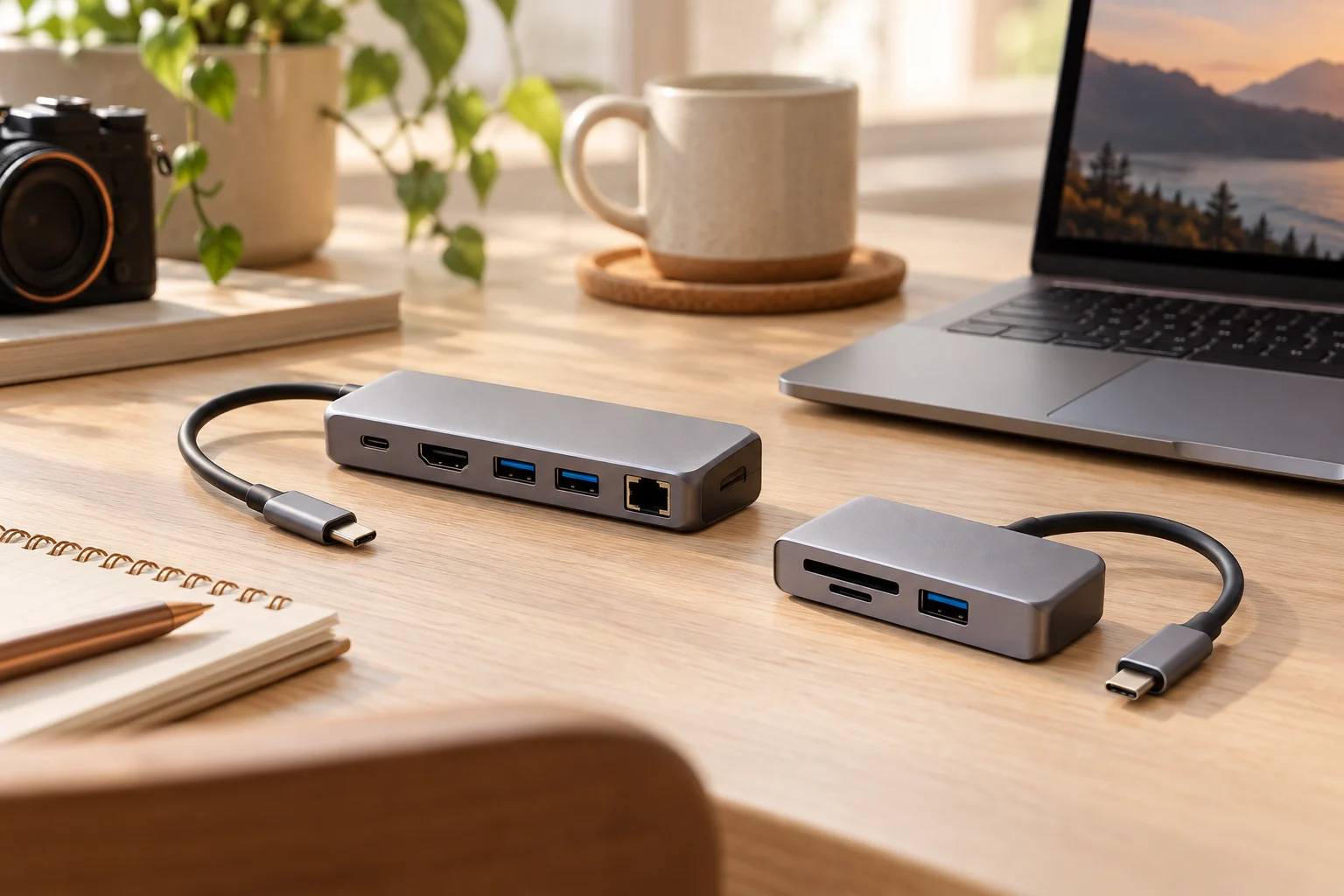
Both products combine several functions behind a laptop USB-C connection, but the port maps differ. The 332 is described as five-in-one, while the 341 is seven-in-one with card-reader slots. That larger total is not evidence of faster data on every port. Power input, computer data, video output and card access need to be counted separately.
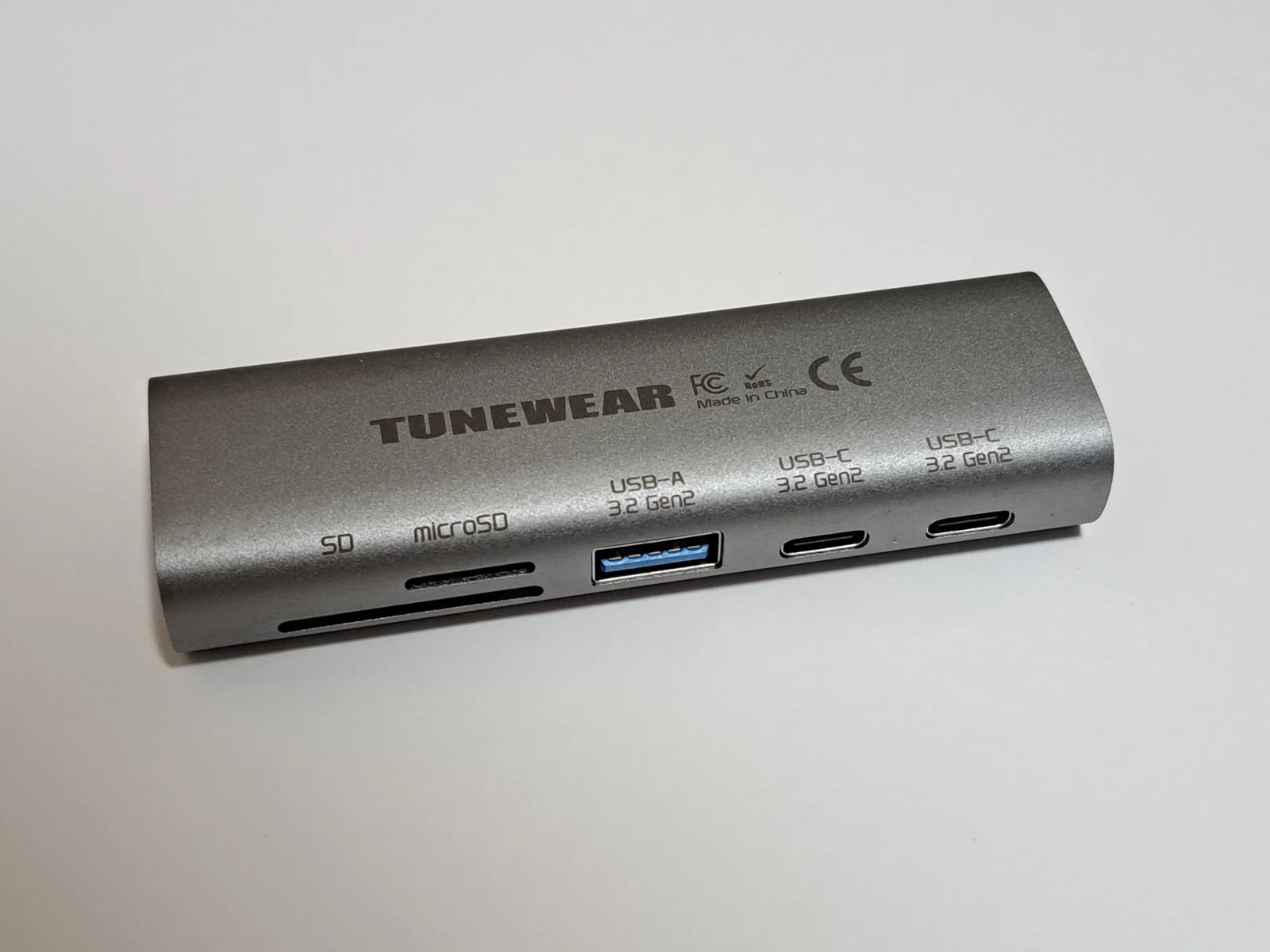
The photographed TUNEWEAR nano1 has its own model name and separately labelled SD, microSD, USB-A and USB-C openings. It is a direct example of reading the actual port map, not a photograph of either Anker model. Do not transfer its printed Gen2 labels to A8355 or A8346.
Compare the documented port roles
For A8355, the US specification lists one USB-C PD input, two USB-A data ports, one USB-C data port and one HDMI output. Both its USB-A and USB-C data fields specify up to 5 Gbps. For A8346, the page adds SD and microSD UHS-I slots to the comparable five-role arrangement.
A8346 contains an important internal contradiction: its Specifications field says USB-C data is USB 2.0 at 480 Mbps, but its general product copy says USB-C and USB-A data can transfer up to 5 Gbps. We do not select the more attractive number or present either as a resolved delivered-hardware guarantee. Confirm that port’s exact speed with Anker before relying on it for a high-speed USB-C drive.
Scroll the table sideways to view all model columns.
| Field | 332,model A8355 | 341,model A8346 |
|---|---|---|
| USB-A data | 2 ports, up to 5 Gbps | 2 ports, up to 5 Gbps |
| USB-C data | 1 port,up to 5 Gbps | 1 port; 480 Mbps specification conflicts with 5 Gbps prose |
| USB-C PD input | Up to 100 W | Up to 100 W |
| Listed laptop PD output ceiling | 85 W | 85 W |
| HDMI mode | Up to 3840 × 2160 at 30 Hz | Up to 4K at 30 Hz |
| Card readers | Not in its five-port map | SD and microSD, UHS-I |
A charging input is not another general-purpose data port
Both hubs distinguish a USB-C PD input from a USB-C data port. The matching connector shape does not make those roles interchangeable. If you plan to attach a storage device, locate the actual data socket rather than counting every USB-C receptacle as available for storage. If you plan to charge the laptop, use the designated input with a suitable charger and cable.
The manufacturer lists up to 100 W PD input but an 85 W laptop output ceiling. The 15 W numerical difference is not a measurement that the hub always consumes 15 W at idle. Anker describes the allocation in its charging explanation; actual delivered power also depends on the charger, cable, host and negotiated conditions. A 100 W charger does not guarantee every laptop receives 85 W continuously.
Choose the card readers or the confirmed data path you need
The SD and microSD slots are the clearest added functions in the A8346 map. They are useful only if those media are part of your workflow. Do not translate the two extra physical slots into two additional high-speed USB data sockets or assume simultaneous card operation without checking the exact instructions. The UHS-I designation is not a measured file-copy rate for your card.
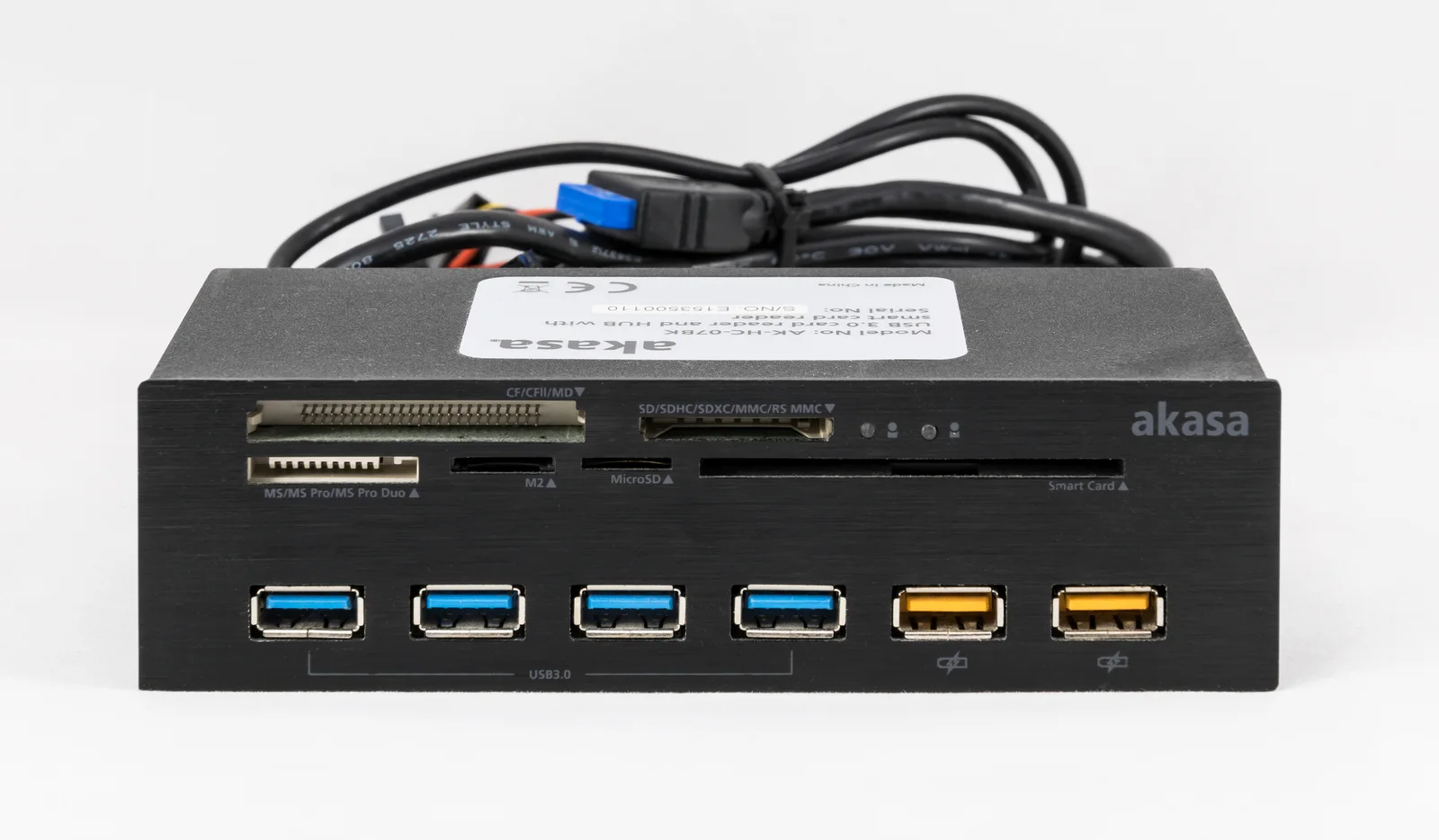
If a confirmed 5 Gbps USB-C data connection is essential, A8355 has an unambiguous listed field in the page reviewed here. A8346 needs clarification because of the contradiction on its own page. This is a real purchasing distinction rather than a declaration that the larger model number is better. The actual Akasa front-panel photograph labels memory slots separately from USB ports and charging symbols. Those are different physical roles; neither its card-slot count nor its USB labels establish the finished Anker speed.
4K at 30 Hz is a specific display mode
The cited pages describe HDMI output up to 4K at 30 Hz. That does not promise 4K at 60 Hz, every monitor mode, or video from a laptop USB-C socket that lacks the necessary video capability. Check the actual host requirements and display connection before ordering a hub merely because its plug fits. A physical HDMI receptacle cannot add an absent host feature.
The 332 page also includes a specific note to connect a Samsung T7 SSD through the USB-A ports for stable transfer. Keep such exact-device instructions with the model rather than generalizing them into a failure claim about every USB-C drive or a universal rule for both hubs. No transfer stability or display compatibility was independently measured for this article.
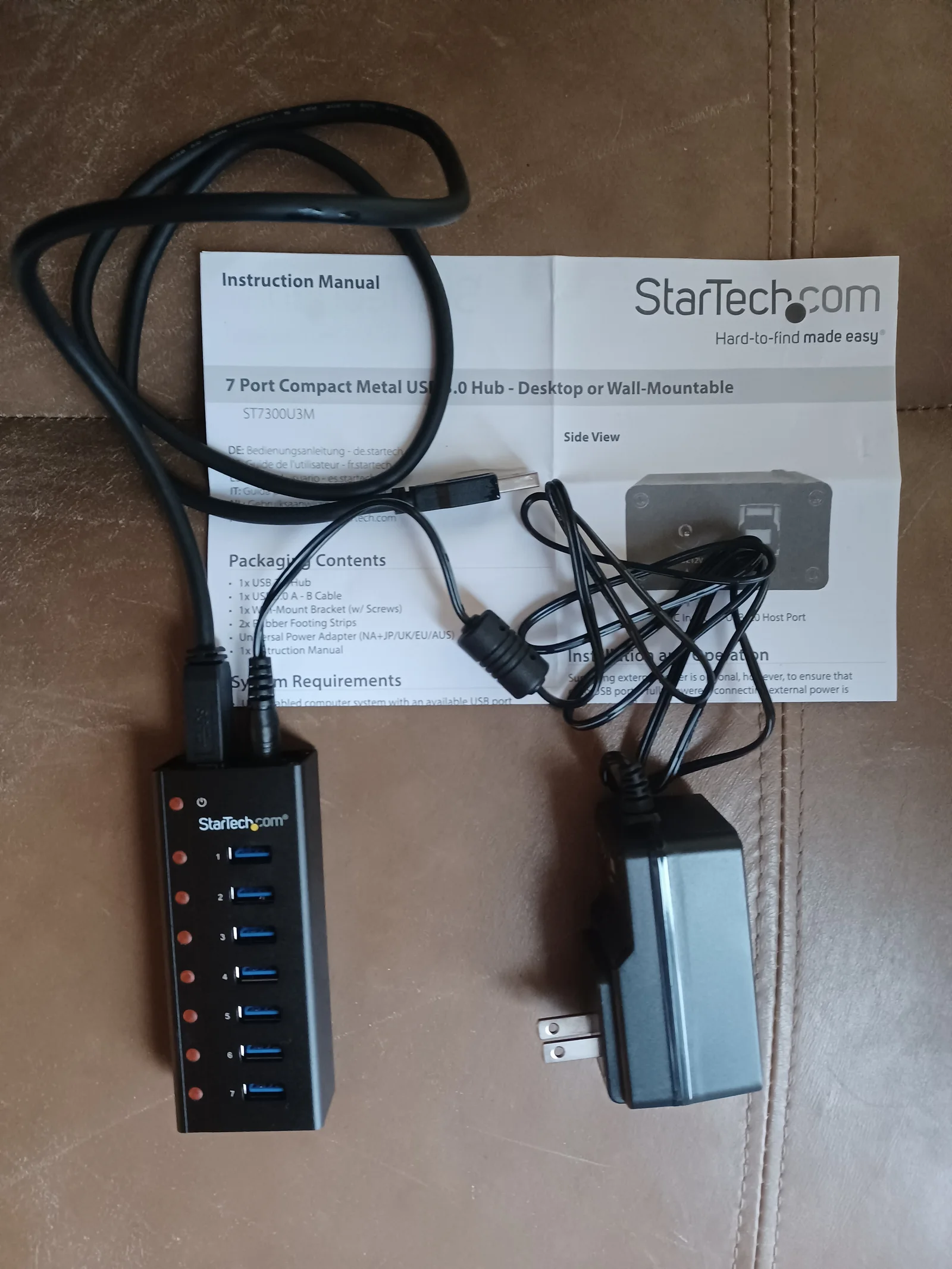
The photographed powered StarTech hub shows a separate barrel-connected supply and USB data cable. That arrangement is different from a USB-C PD input: the presence of a power adapter or charging socket does not identify an Anker laptop-charging port. Neither the StarTech photograph nor the two other photographed devices establishes the finished A8355 or A8346 specification.
The appropriate choice follows from the exact port requirement
A8355 is the five-port candidate when its documented data and HDMI roles meet the task without card slots. A8346 adds SD and microSD access, but its contradictory USB-C speed needs resolution if that particular port is purchase-critical. Both list the same 85 W laptop output ceiling and 4K-at-30-Hz display class; the seven-in-one label alone does not improve those limits.
Record the exact model code, required card types, intended data socket, host video support and charger arrangement in the offer you actually buy. Current prices and stock are not verified here. The three actual devices show model/port labels, card-slot versus USB counts and a barrel-power versus PD distinction, not A8355/A8346 product photographs or evidence of their internal electronics. This comparison leaves the unresolved manufacturer field visible rather than filling it with a favorable guess.