K2 Version 2 or K10: choose the number-pad layout
Compare the cited K2 Version 2 84-key 75% and classic K10 104-key full-size layouts, with actual key positions, generation and Windows-only Num Lock conditions kept clear.
Updated:
Start with the keys your work actually uses
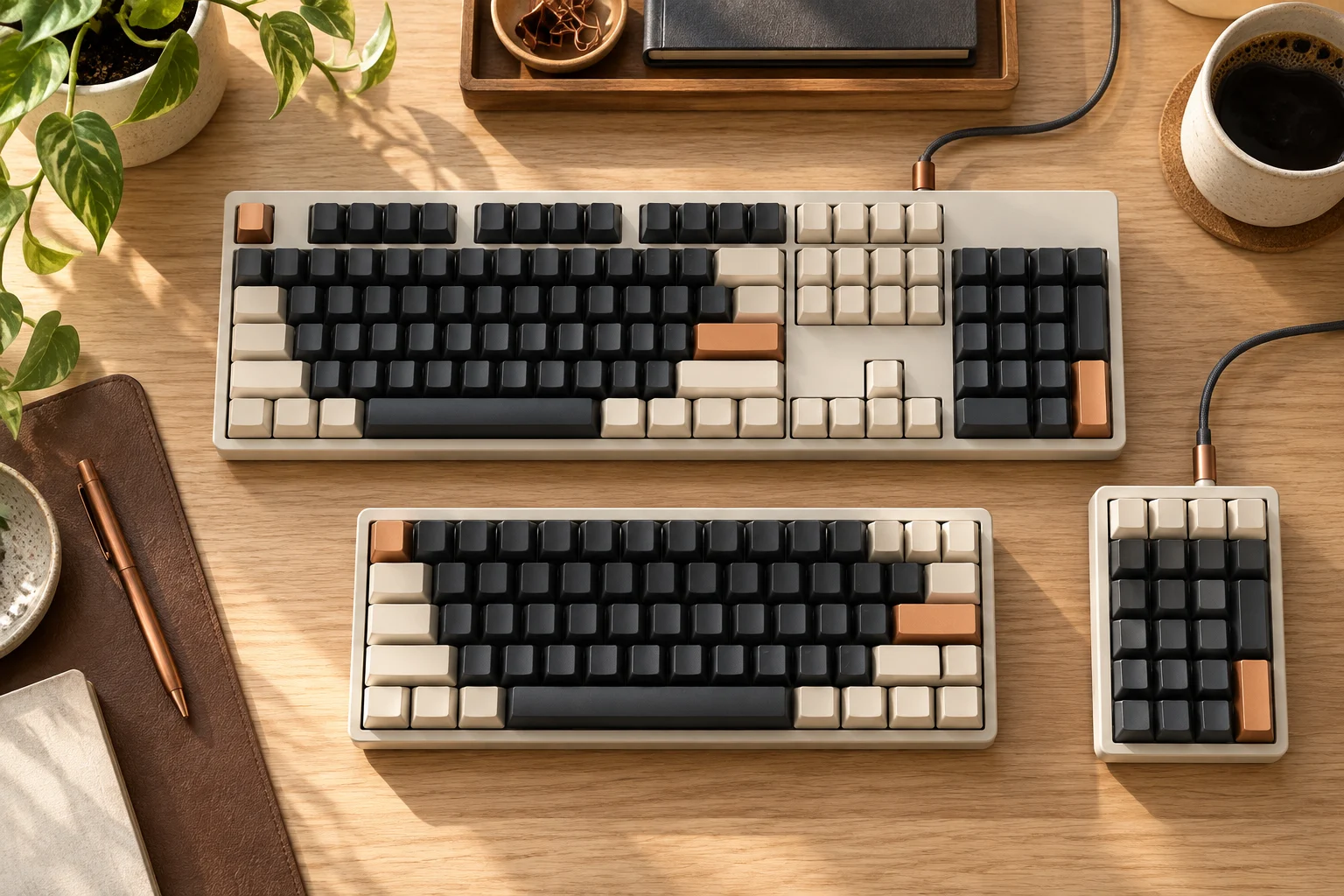
Choose the cited K2 Version 2 layout when you want the 84-key 75% arrangement and can work without a separate full-size number-pad area. Choose the cited K10 layout when the 104-key full-size arrangement, including the number pad, is part of your everyday workflow. This is a decision about the actual arrangement of keys, rather than a claim that one size makes everybody type faster. Confirm the complete model and generation because the names K2 and K10 are also used across related variants.
The K2 manufacturer URL cited here explicitly identifies Version 2 on the captured October 30, 2026 page; this comparison does not label those figures as a separate first-generation K2. The other reference is the classic K10 page. Pro, Max, HE or a different product generation needs its own specification. No current seller stock, price or universally interchangeable component set is implied. No original K2 Version 2 or K10 photographs were obtained; the physical examples below explain layout checks rather than prove current-model specifications.
Compare the documented layout and connection fields
Read the layout diagram as well as the percentage. A 75% label is a category, not a universal promise about every key width, navigation-key position or extra function. The manufacturer describes 84 keys for the cited K2 and 104 keys for the cited K10; the 20-key difference is simple arithmetic, not 20equivalent shortcuts or a productivity estimate.
Scroll the table sideways to view all model columns.
| Field on the cited pages | K2 Version 2 entry | Classic K10 entry |
|---|---|---|
| Named layout | 75% | Full size |
| Listed key count | 84 | 104 |
| Number-pad choice | Compact arrangement; no separate full-size number pad | Dedicated number-pad area |
| Bluetooth device switching | Up to 3 devices | Up to 3 devices |
| Wired connection | USB Type-C | USB Type-C |
| Listed battery capacity | 4000 mAh | 4000 mAh |
| Headline battery condition | Up to 240 hours with backlight off | Up to 240 hours with backlight off |
| Variant check | Confirm actual generation and switch option | Confirm frame, generation and switch option |
Inspect the physical arrangement before measuring
List the keys you use without looking at the keyboard: a number pad, function row, Home/End, Page Up/Down, arrows and operating-system modifiers. Then find those exact positions on the selected layout. A shorter board can reduce its own desk footprint while moving a familiar action to a different position or key combination. That trade-off must be acceptable to the person using it.
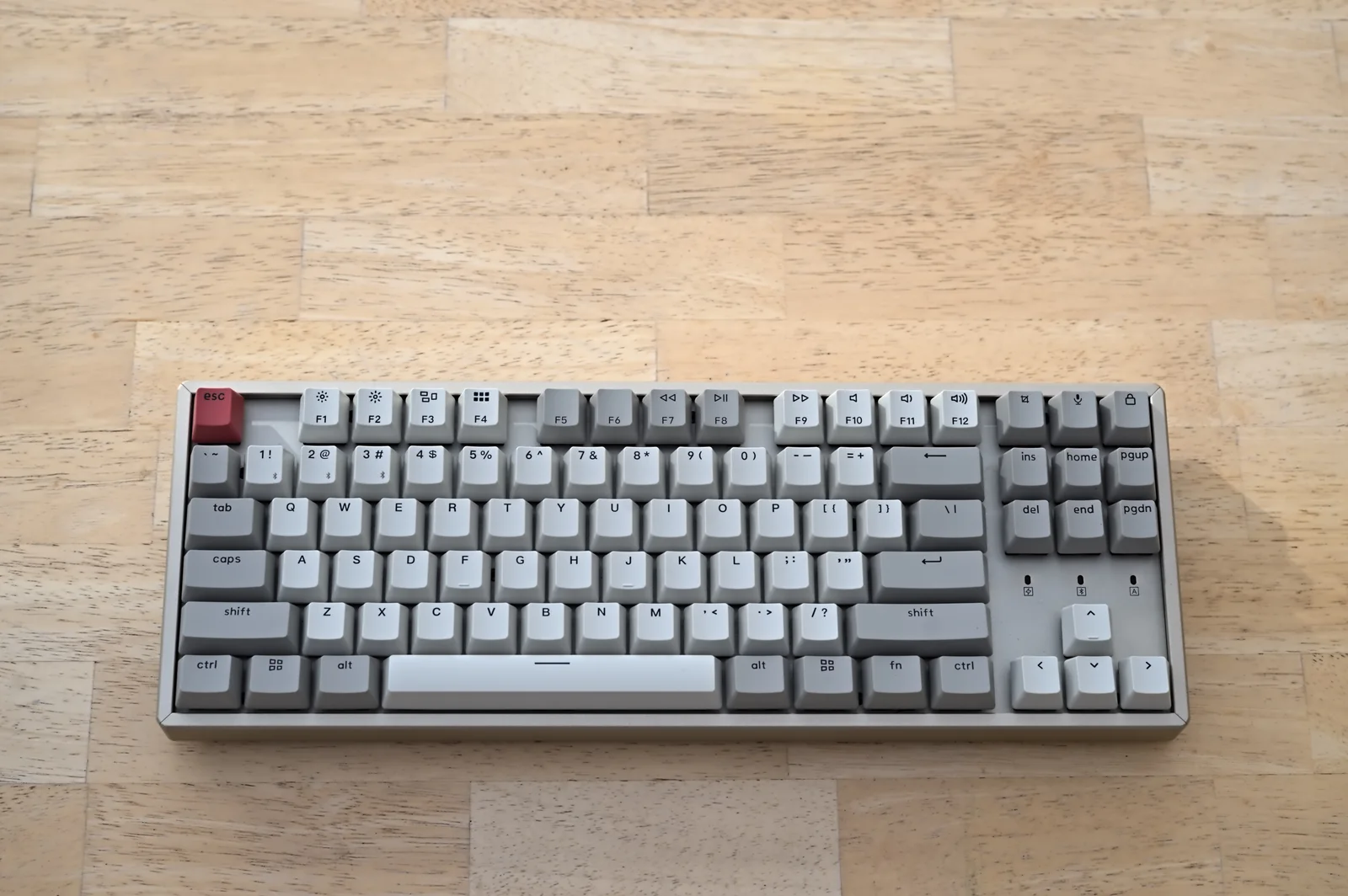
The actual K8 photograph has a separate six-key navigation block and arrow cluster but no number pad. This tenkeyless arrangement is not a picture of the K2's 75% layout. It makes the inspection task concrete: omitting a number pad does not determine where Home/End or the arrows sit. A percentage or tenkeyless label is not a substitute for checking the actual key diagram.
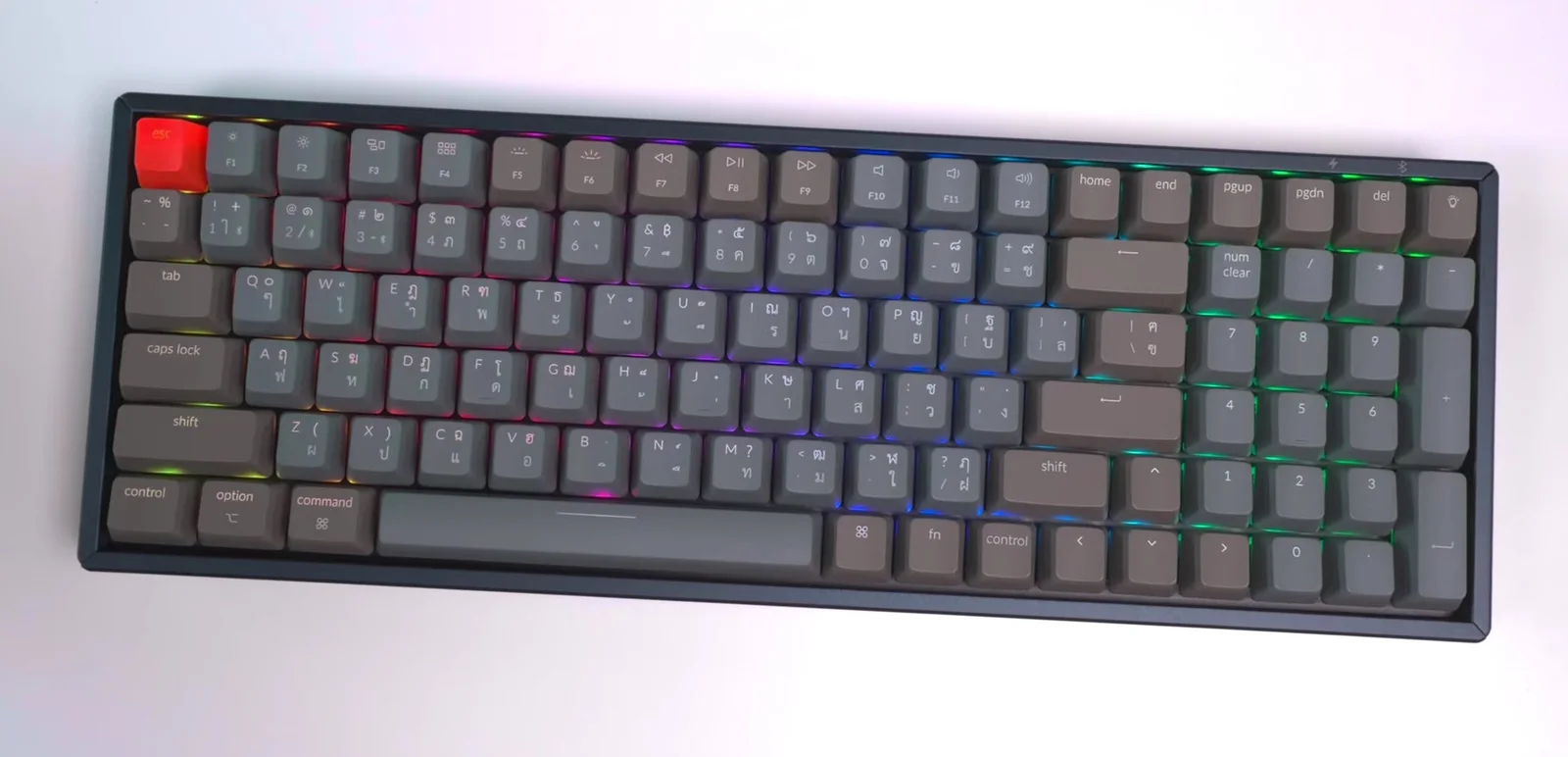
The separate K4 photograph shows the other trap. It has a tightly grouped number pad and arrows, despite a compact overall arrangement. Its Thai/English legends also identify a different physical keymap from a US offer. This is not K10, and its widths or key count are not applied to either comparison model. Use the exact selected K2 or K10 layout to decide which keys remain directly accessible and which familiar positions change.
Check the operating-system behaviour
The cited K10 page states that Num Lock works with Windows only. That condition matters if you rely on a number pad while changing operating systems. Confirm the keyboard's system toggle, included modifier keycaps and the manual for the exact layout rather than assuming that a key legend defines its behaviour on every host.
Keep a physical US ANSI versus ISO decision separate from operating-system support. A keyboard can list macOS and Windows while still having a physical Enter, Shift or punctuation arrangement that differs from your preferred layout. Replacement keycaps need the correct widths and positions, not just the same language printed on the package.
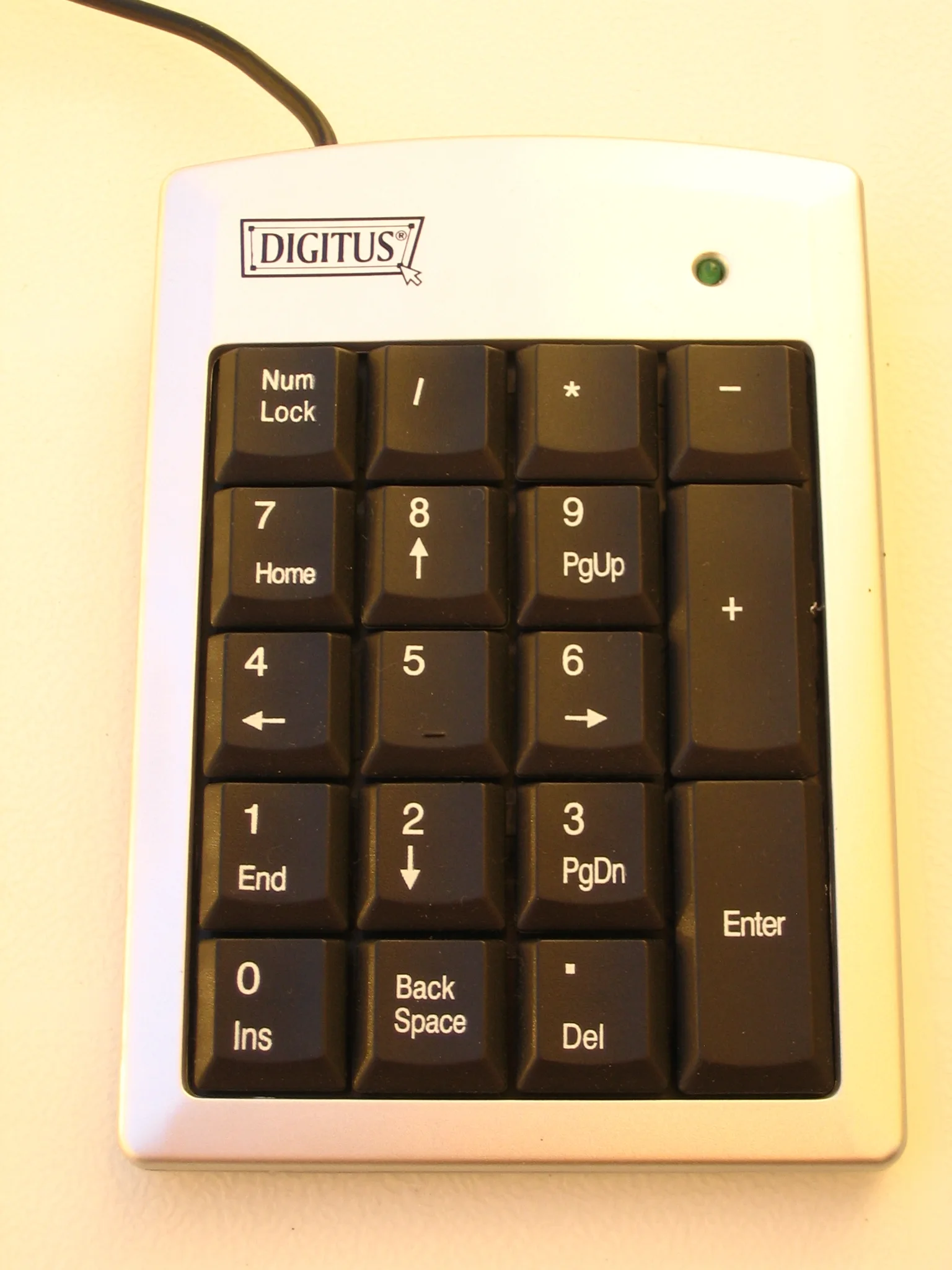
The separate Digitus pad has a real Num Lock key and alternate legends, but those printed symbols cannot prove behaviour on a different operating system. Its photograph supports a physical arrangement check, not an operating-system test or approval as a Keychron accessory. If an external pad is your alternative to a full-size board, verify its own host connection and supported functions separately.
Keep battery and wireless claims in their conditions
Both cited pages describe a 4000 mAh battery and a headline of up to 240 hours with the backlight off. These are manufacturer conditions, not our matched runtime test. Brightness, wireless use, idle behaviour and the particular revision can change a real charging schedule. Equal capacity and equal headline hours do not prove identical power consumption in your work.
For an existing older unit, identify its exact revision before applying a current product page's hot-swap, switch or firmware statement. The manufacturer's pages contain links to newer generations as well as the named product entry. A similarly named upgrade is not evidence that an older keyboard acquired that hardware feature.
Choose from the complete setup
First settle the essential keys and layout. Then use the exact selected variant's dimensions to budget keyboard width, mouse movement and cable clearance. The site's width tool is arithmetic for entered measurements; it does not evaluate posture or prove that a desk is suitable. Include a separate wrist rest only if your chosen quote actually contains it or you intend to buy one.
Keep the model designation, layout diagram, generation and seller's included parts together. Confirm return conditions before committing to an unfamiliar arrangement. Neither a photograph of another Keychron board nor a family name resolves a conflict between the seller's configuration and the relevant manual.
A separate number pad can be positioned independently for occasional numeric entry, but it still needs surface space, a suitable host path and its own verified compatibility. Its cost is not included in a K2 quote by default. Compare that complete arrangement with K10's integrated numeric area rather than treating an unquoted extra pad as free or universally supported.